Goldsource — sales up 102% in year one
Live market prices, charts that help customers understand them, and a way for staff to handle customers selling their own coins.
Buying and selling precious metals needs more than a standard product page.
Goldsource’s prices follow the metals market. Customers also need to understand price movements and can approach the business to sell their own coins.
We built the storefront and the tools around those jobs: live pricing, interactive price charts, and a process for staff to manage customer selling inquiries. The team can handle the inquiry, offer and fulfillment in Sanity.
The sales and order figures cover the Norwegian store’s first year after launch compared with the year before. Gold prices and other commercial changes also affect sales.
Product prices that follow the metals market.
Goldsource’s product prices update as market rates change. Checks flag unusual data for the team to investigate, helping them keep an eye on the prices customers see.

Read the diagram description
A triggered run attempts to acquire a Redis lock. Duplicate or active runs are skipped, as are runs while the market is closed. Otherwise, the system fetches XE rates, updates rates and checks for spikes. A spike triggers lockdown and skips the sync. Valid rates are synced to Shopify, then Redis is refreshed and the run completes. A fatal XE error or Shopify update failure ends the run as failed.
Read the market rates
Get the latest rates used to price the products.
Update the storefront
Keep product prices aligned with the market.
Alert the team
Flag unusual data for someone to investigate.
High-performance chart for historical metal prices.
Read the visual transcript
- The gold price chart opens on a long-range view.
- The cursor selects shorter and longer time ranges, and the chart redraws immediately.
- A custom date range is selected and the refreshed series appears.
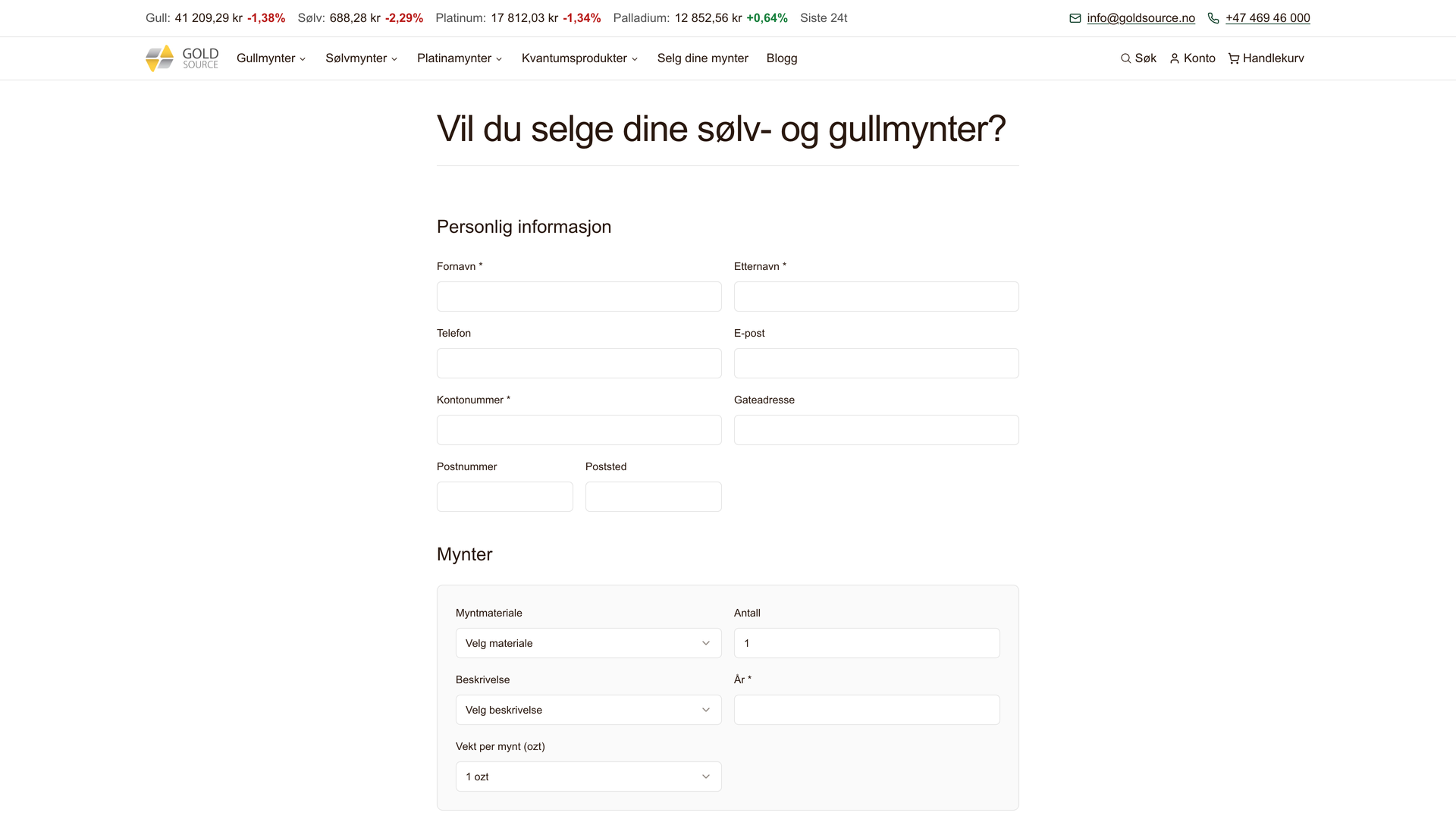
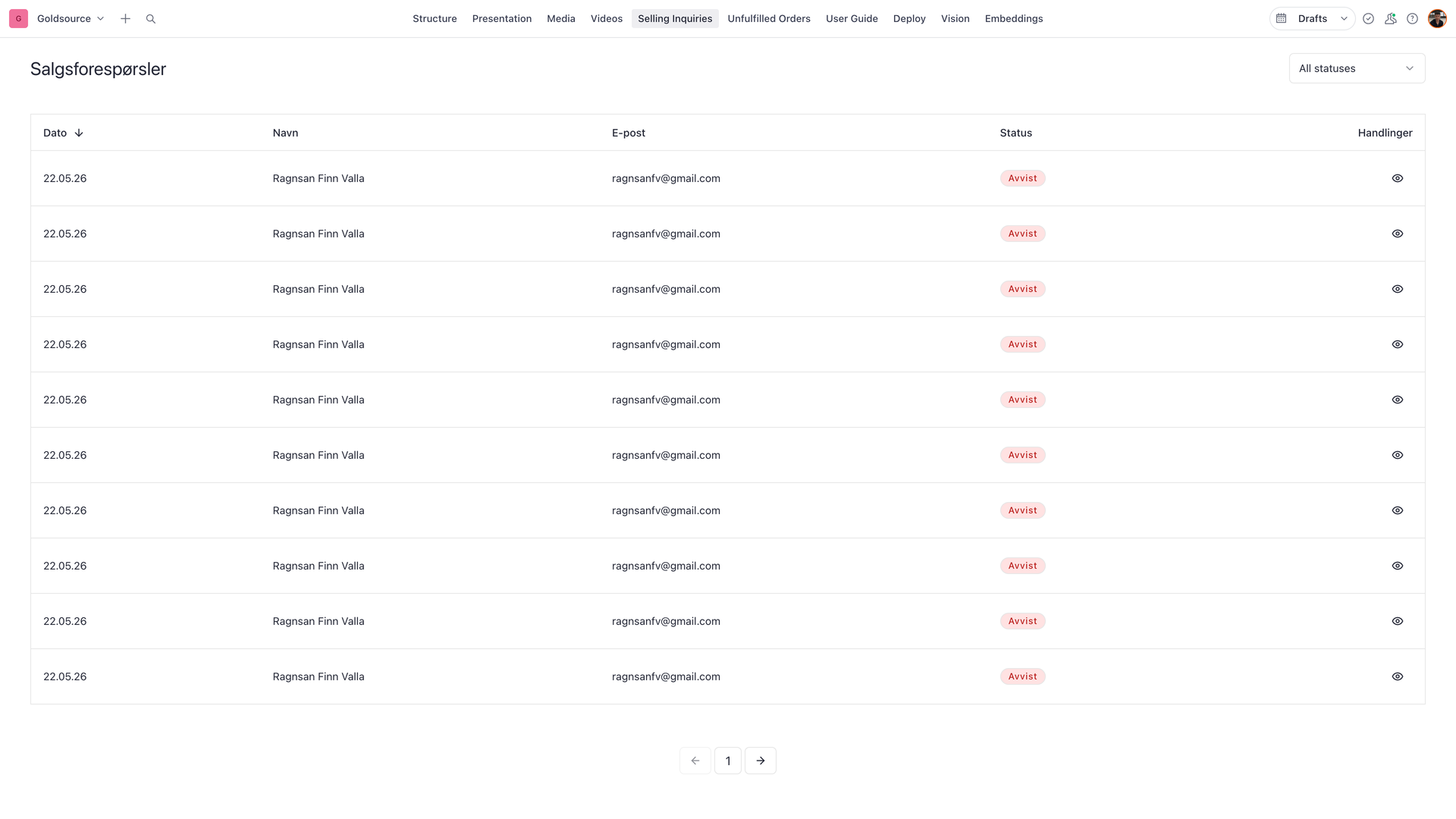
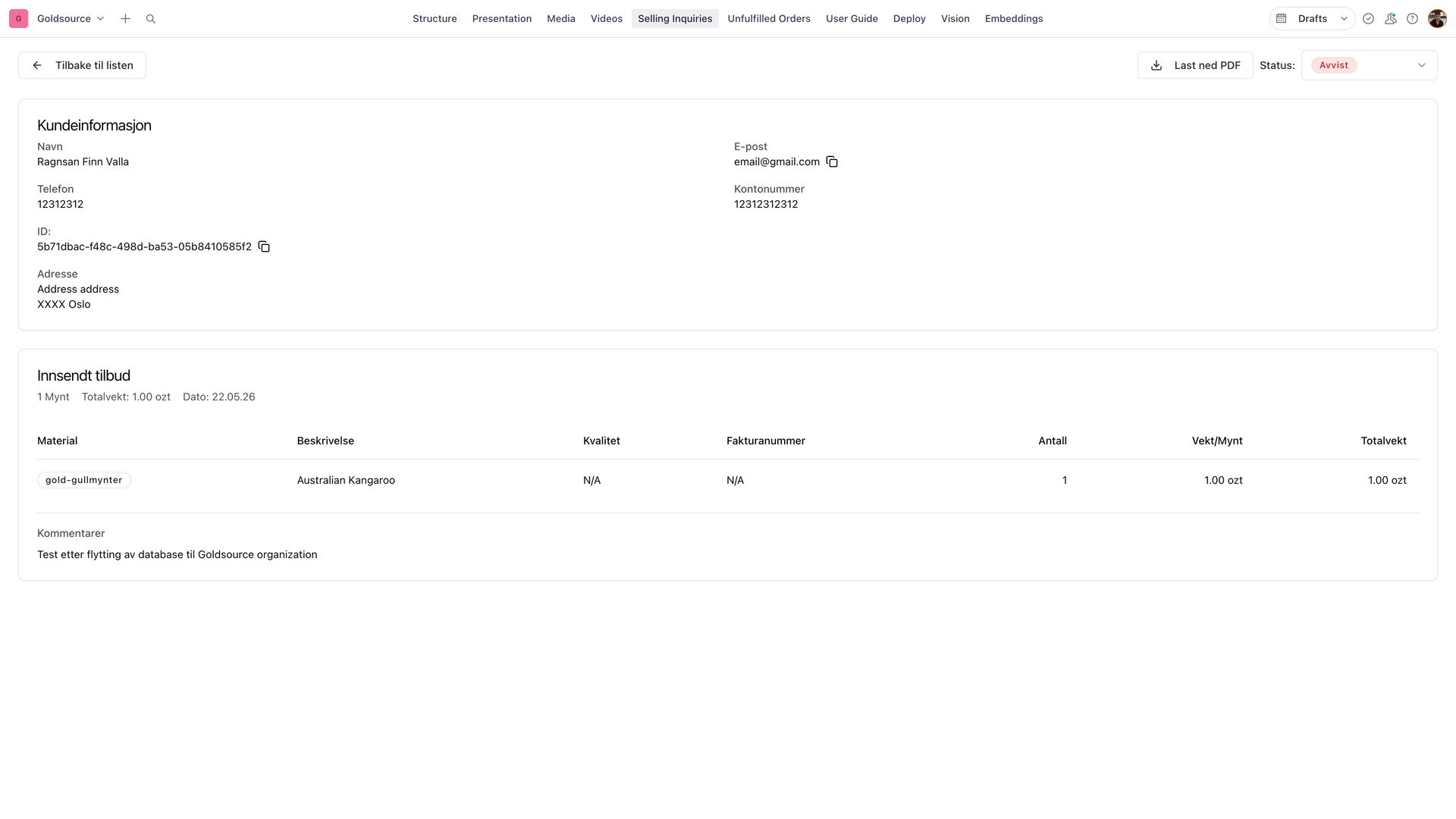
Sell-your-coin intake in Sanity.
Customers register that they want to sell a coin on the storefront, then Goldsource handles the sales process in Sanity — from inquiry to offer and fulfillment.
Keep orders and product information in sync.
Changes in Shopify need to reach the systems the team uses. Updates are checked, duplicate messages are ignored, and temporary failures are retried so staff don’t have to keep the information aligned by hand.
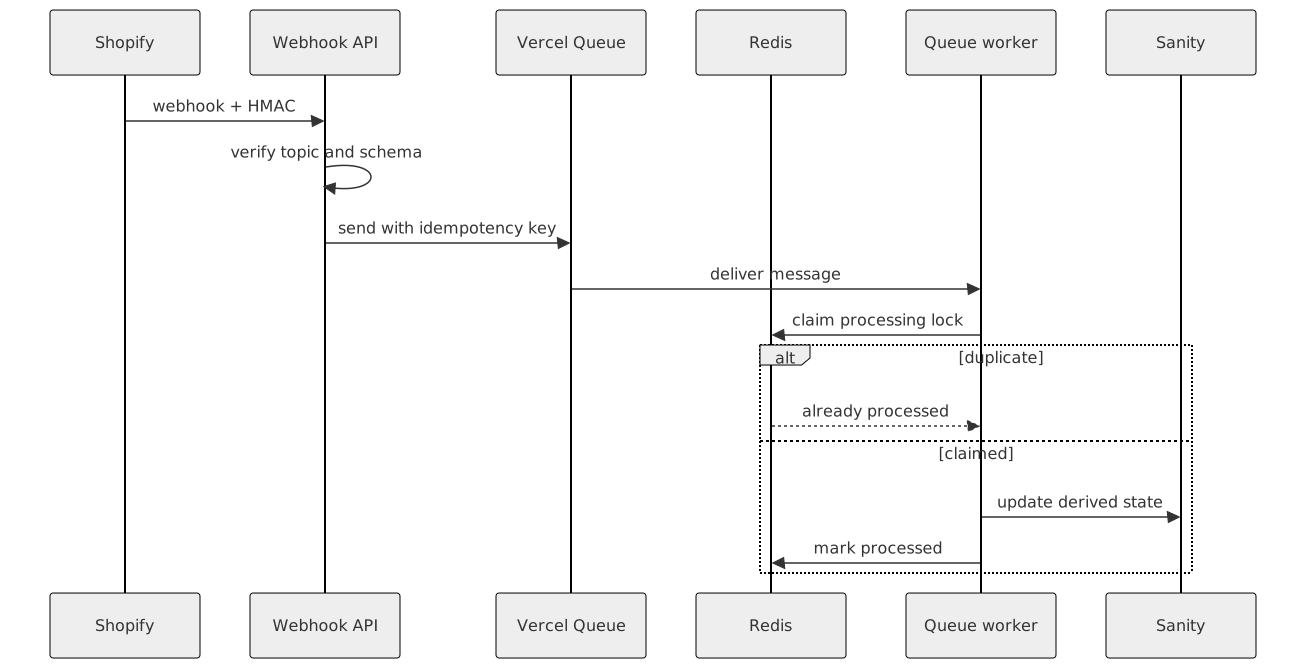
Read the diagram description
Shopify sends a webhook with an HMAC signature to the API. The API verifies the topic and schema and places the message in Vercel Queue with an idempotency key. A queue worker claims a processing lock in Redis. If Redis reports that the message was already processed, no update is made. Otherwise, the worker updates the derived state in Sanity and marks the message as processed in Redis.
A change in Shopify
An order or product is updated.
Pass it to the right system
The update reaches the tools the team uses.
Handle interruptions
Retry temporary failures without applying the same update twice.
Talk through what you want to improve.
Tell us what’s getting in the way or what you’d like to build. We’ll talk through the options and whether we’re the right team to help.
Book a call